Templates
Templates belong to an organization and define who is allowed to create new Microsoft Teams or SharePoint team sites for a given use case, how these should be configured, and which rules apply to their creation, usage, and lifecycle.
Create new template
Where to start?
Templates are created within an organisation. To configure an existing organisation, navigate to Groups > Organisations > Templates.
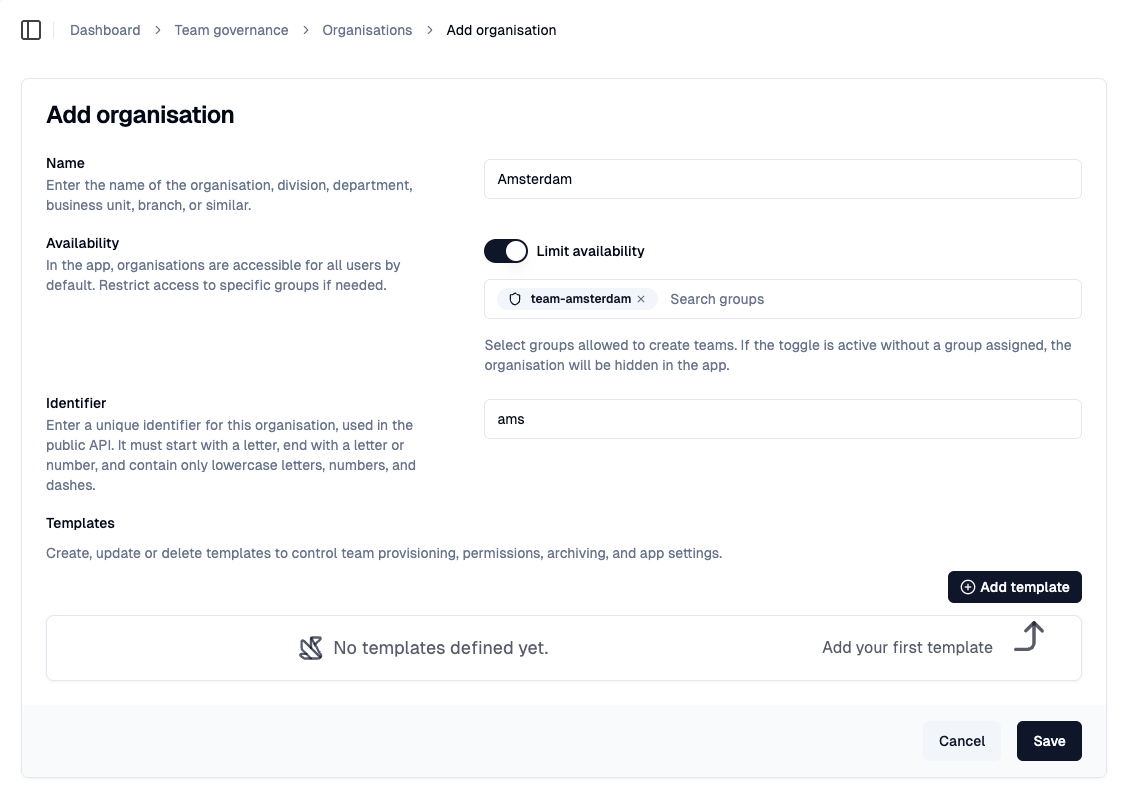
Add a team template
In the templates section of the organisation, select Add template to open the template form for new templates.
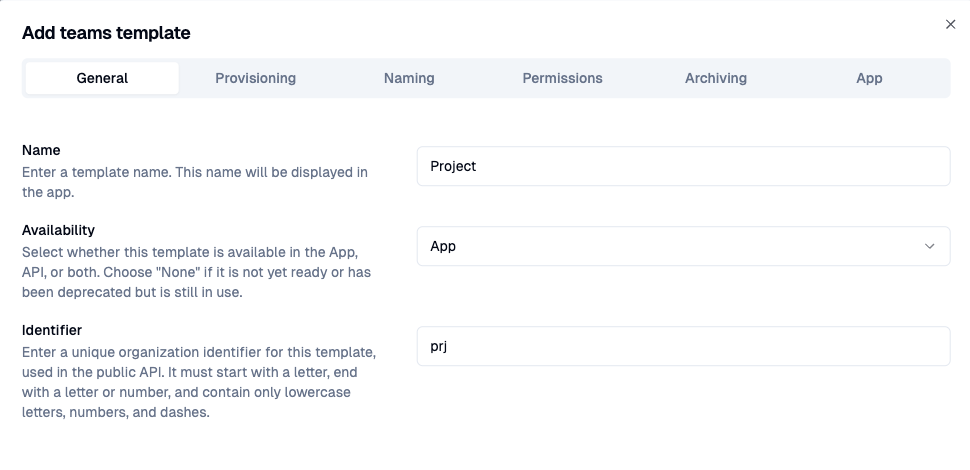
Choose a name
In the General section, enter the name for the template. This name will be visible to users in the Teams app and can be changed at any time.
Control availability
Select whether this template can be used with the App, API, or both. Choose "None" if the template is deprecated but still in use, or if it is not yet ready for deployment.
Identifier
If you are integrating with the Seamless API, you can enter a organisation-unique identifier for this template, used in the public API. It must start with a letter, end with a letter or number, and contain only lowercase letters, numbers, and dashes.
Next → configure Provisioning