Version 1.23.0
Published: 16.04.2026
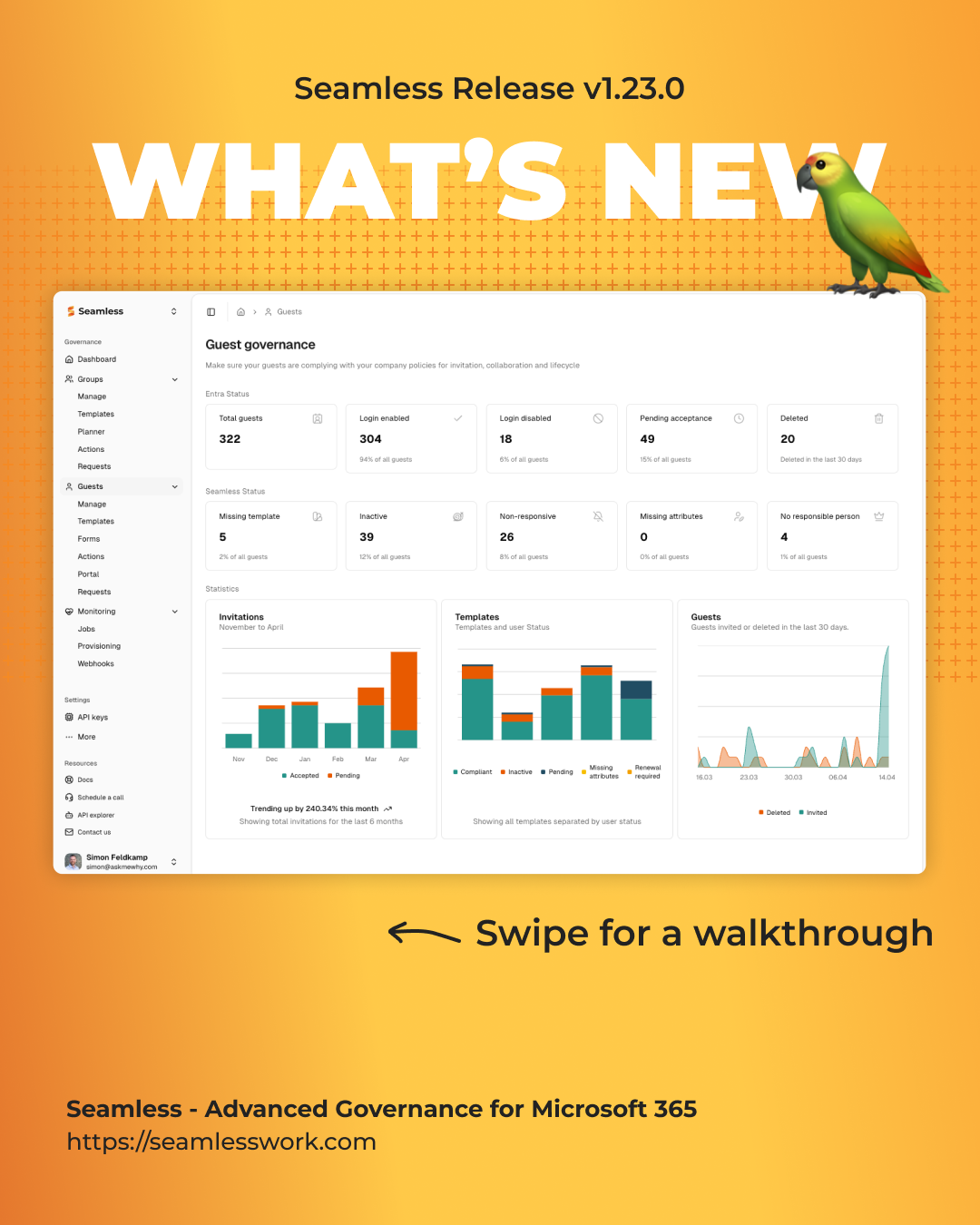
This release introduces AI-assisted property generation, a full guest invitation request workflow, and workspace archiving. It also brings significant UX improvements across access management, member navigation, and responsible/deputy handling — alongside a full migration to Tanstack Form.
What's new
After the recent platform migration, we took the time to listen. This release is shaped largely by your feedback — issues you reported, workflows you found unclear, and features that had been on our roadmap for a while but had to wait until the new foundation was in place.
The result is a release that makes Seamless noticeably more robust, more interactive, and better connected. Workspaces, members, responsible users, and guests are more tightly linked — navigating between them feels natural, and actions that used to require multiple steps are now smarter and more streamlined.
We've also introduced the first AI-assisted capabilities, laying the groundwork for more intelligent support in your day-to-day work. And across the board, you'll find a more consistent and polished interface — clearer labels, refined pop-ups, and a more responsive layout.
Thank you for your patience during the migration and for the detailed feedback that made this release possible.
AI Features
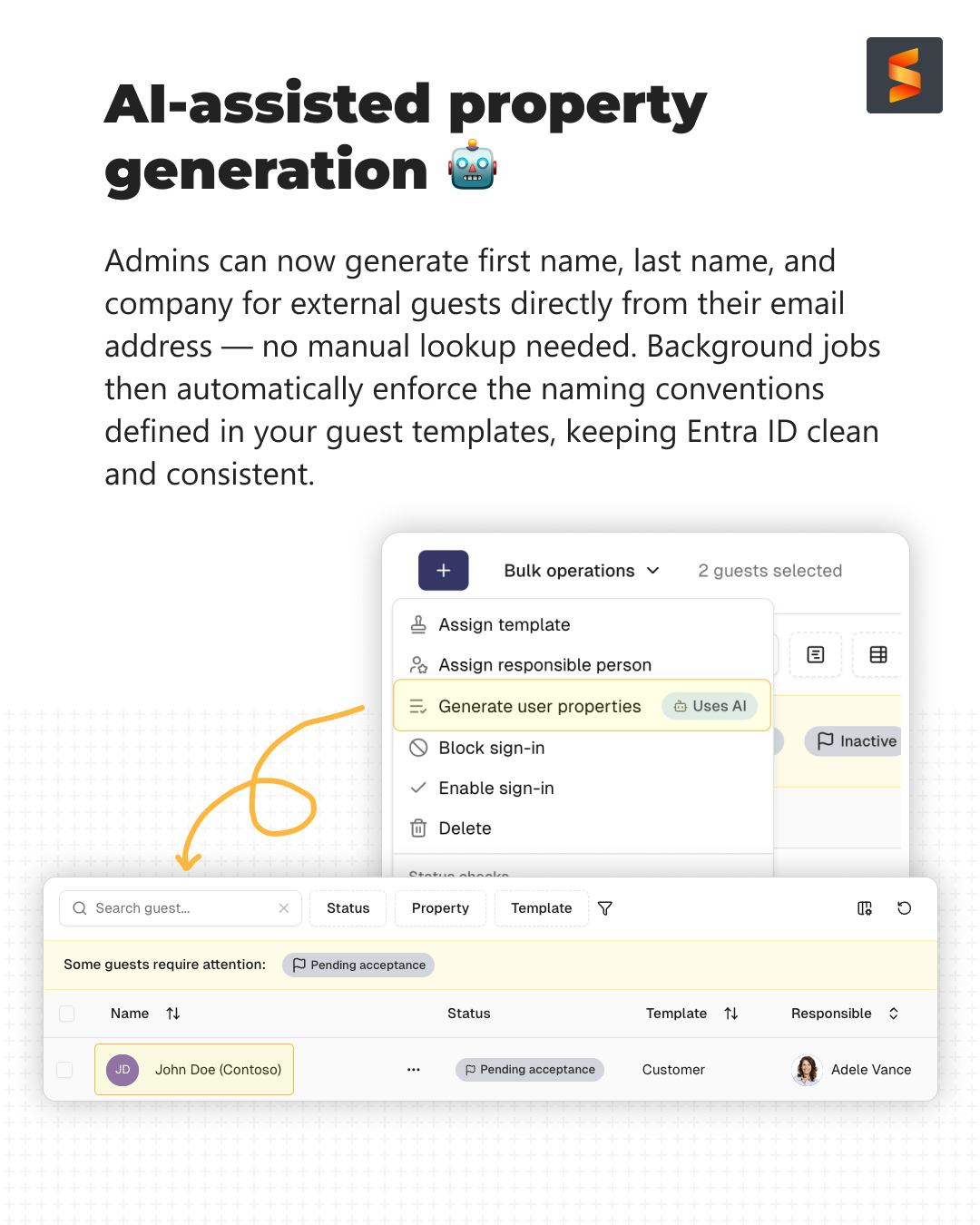
- New AI-assisted property generation — admins can now generate first name, last name, and company for external guests directly from their email address. Background jobs then automatically enforce the naming conventions defined in guest templates, keeping Entra ID clean and consistent.
- New "Uses AI" badge to clearly mark actions powered by AI.
- Added an AI info note for transparency when AI is involved.
Guest Management
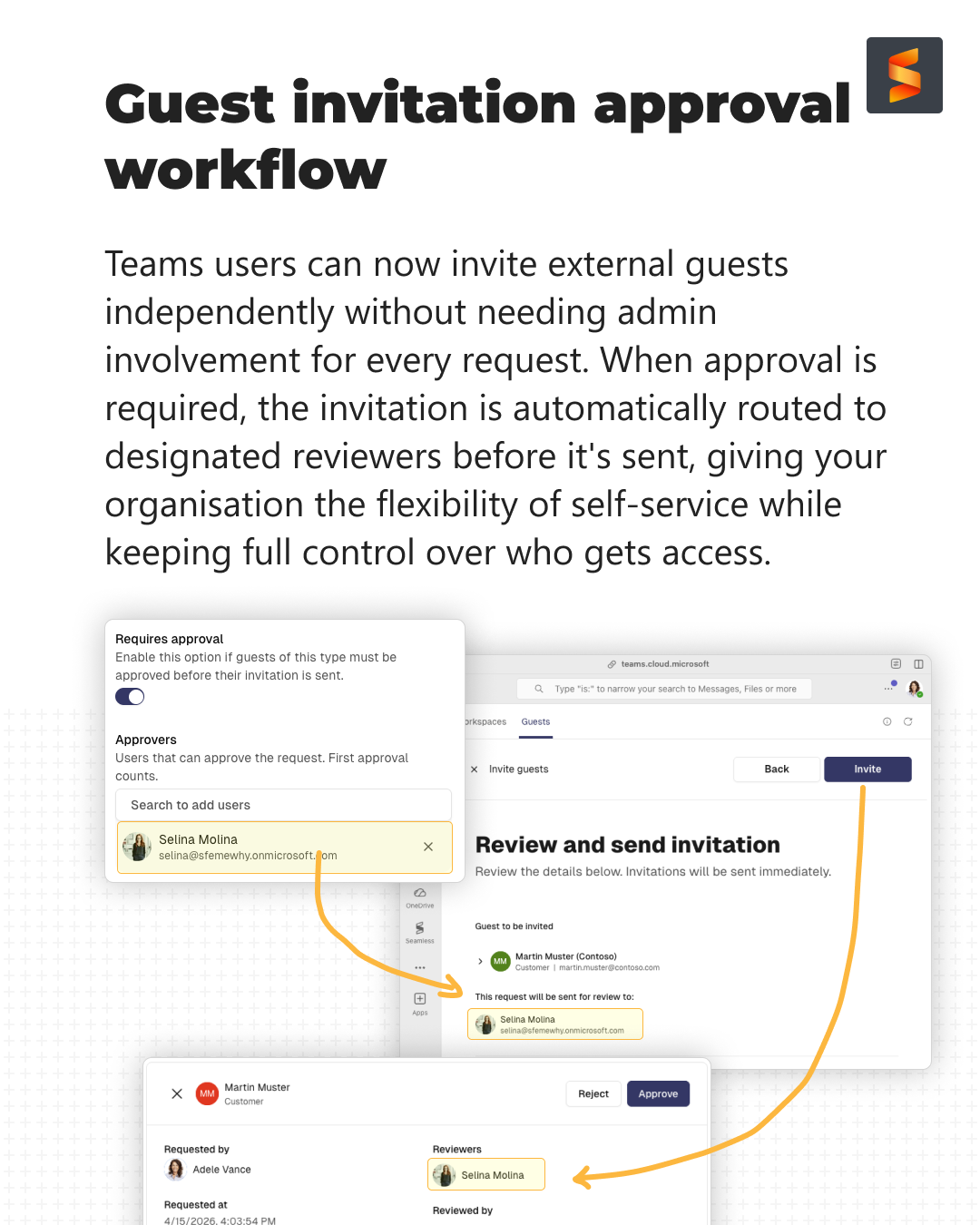
- New Guest Invitation Request workflow — Teams users can now invite external guests independently. When approval is required, the invitation is automatically routed to designated reviewers before it's sent, giving organisations the flexibility of self-service while keeping full control over who gets access.
- Added approval flow support to guest templates, including configurable approvers.
- Improved pop-ups for guest actions: reset, block, enable, delete, and assign template (single and bulk).
- Guest Request detail page with actions, dynamic validations, and a review step.
- Users are automatically added to the group after a successful invitation.
Workspace & Groups
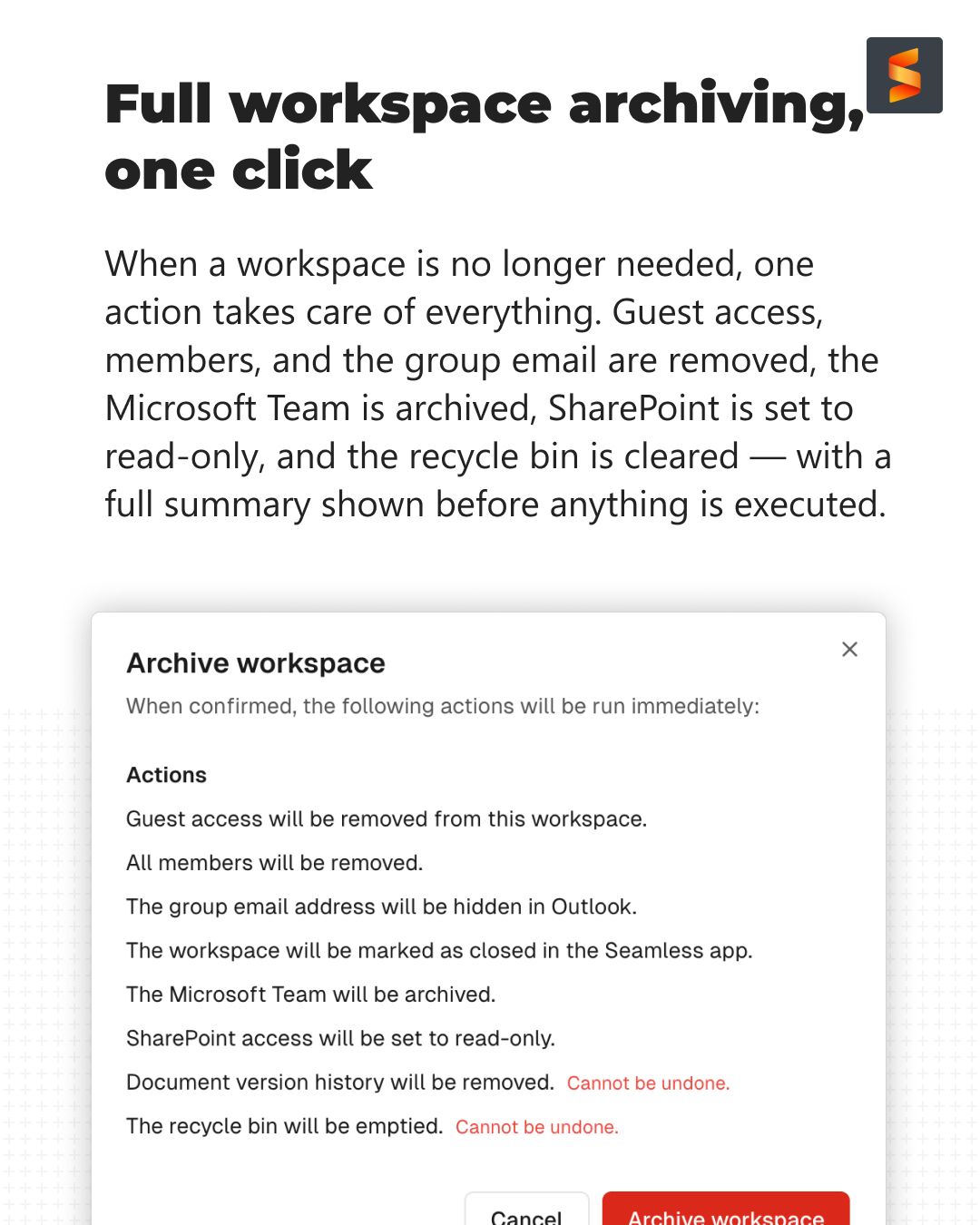
- New Archive Workspace action — one action removes guest access, all members, and the group email, archives the Microsoft Team, sets SharePoint to read-only, and empties the recycle bin. A clear confirmation summary is shown before anything is executed.
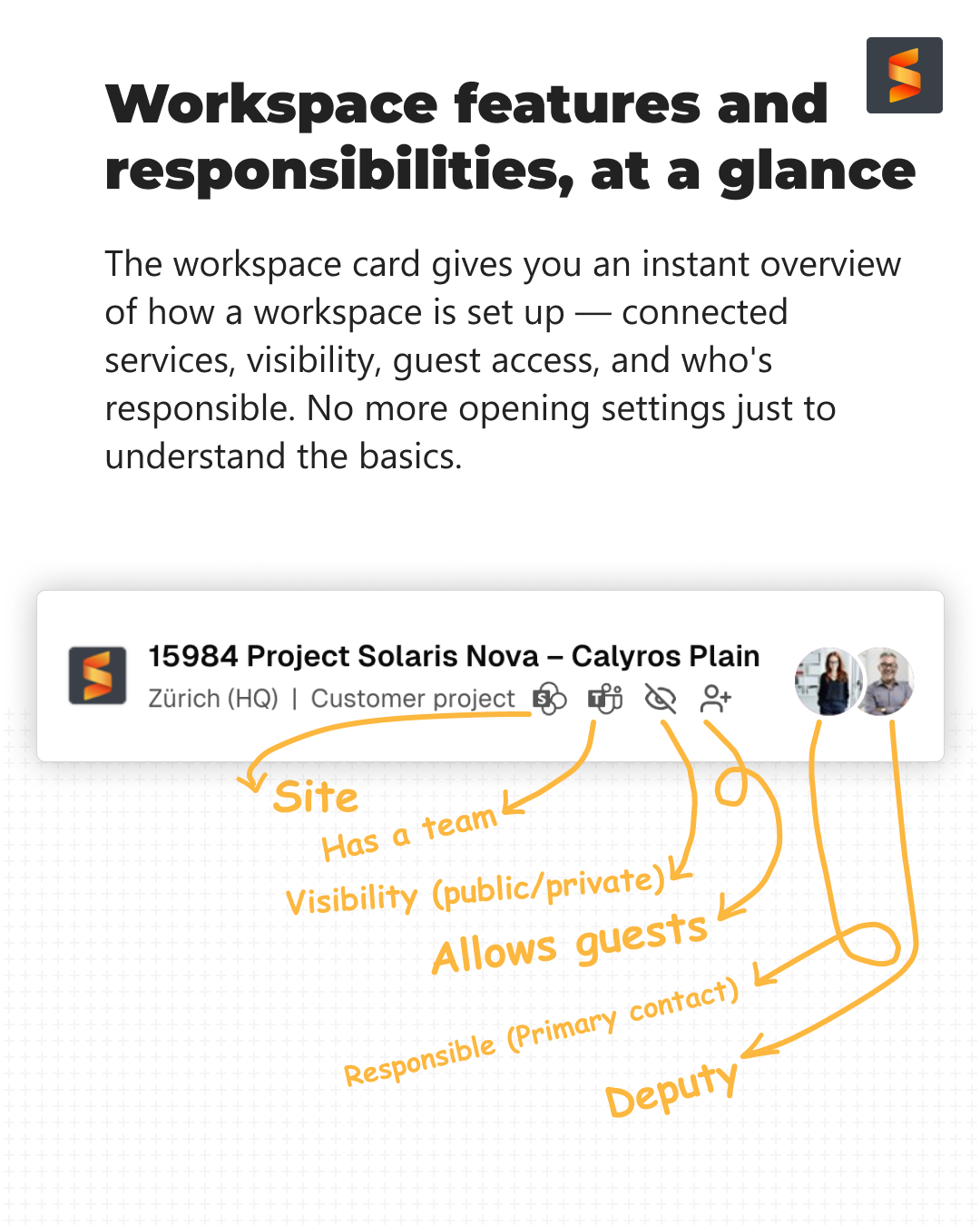
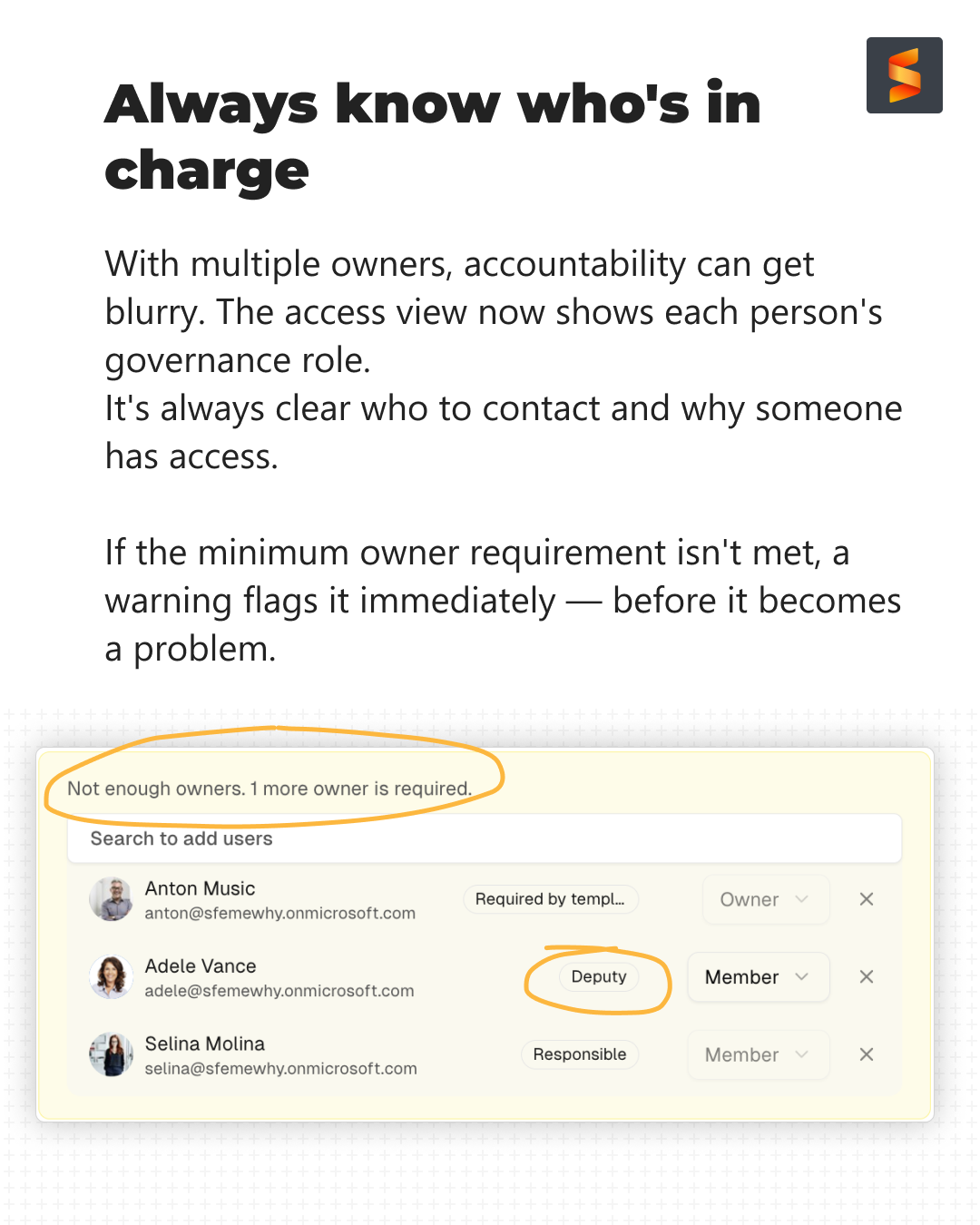
- The workspace card now shows connected services, visibility, guest access, and who's responsible — all in one place, without having to open settings.
- Unknown workspaces now display a fallback name instead of showing blank.
- Template step is skipped automatically when only one template is available.
- Falls back to global settings when group-specific settings are missing.
Responsible & Members
- Responsible users are now automatically added as owners during bulk updates.
- Deputy users are now automatically added as members during bulk updates.
- Avatars added to group and team headers with direct navigation links.
- Navigation pills for members across groups, teams, sites, and joinable workspaces.
- Updated responsible field labels throughout workspaces for clarity.
Access Management
- Improved access management UX with contextual messages and links directly in the members view (groups and teams).
- Interactive badges for user assignments with navigation support.
UI & Consistency
- Aligned popup counter text styles, footer separation, and table column styles throughout the app.
- New
informativecolor scheme and badge variant. - Darker muted foreground color for better readability.
- Improved responsiveness in alert UI styles.
- People picker check icon order improved.
- Group component icon positions updated.
Technical
- All forms migrated to Tanstack Form.
- User identifier (email/UPN) now shown in pickers and UI components.
- Configurable sites search query in app settings.
- New reusable actions component shared across group and guest approvals.
- Request sort order updated from oldest to newest.
- Various bug fixes, code cleanup, and dependency updates.